

A new major stable release of CB AntiSpam is now available! This release includes some new ways to block and substantial improvements to internal captcha generation. Check out the details below!
First and foremost this is a major release. This means Joomla 3.x support has been discontinued in this release. Joomla 4.x being the new minimum. However recommended minimum is Joomla 5.x, but if possible I would recommend using Joomla 6.x.
Captcha Audio output has been improved to expose the full audio player. This allows pause, rewind, playback, and volume control for improved accessibility. Some devices mute by default and it's impossible to override that so this provides a means for those devices to still use this accessibility feature. Below is an example of what this may look like depending on your captcha display settings.
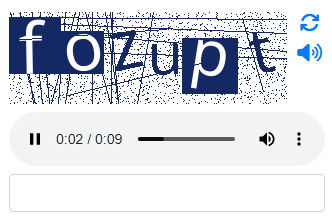
Another major improvement is how the sizing of captcha is now handled. It previously was based off a predefined height. The problem with that is the font size would then be based off the height and the calculations could result in characters overlapping or being cut off entirely. This has been changed to be entirely font based. The height parameter now acts as a minimum height to ensure a minimum scale for the image.
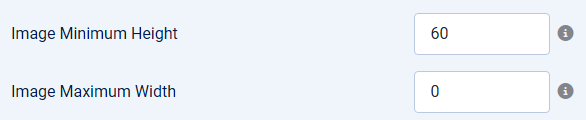
You'll notice there's now a maximum width parameter. This allows captcha multi-line functionality to take place. Should a captcha be too longer, such as the case for question based or math based captcha, it will divide across multiple lines.
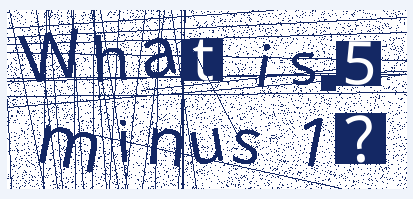
This brings us to the font family and font sizing changes. It no longer randomizes between multiple fonts when rendering the captcha. This has also been default changed to notosans font family, which is a multi-lingual font to ensure our captcha can work across languages. You can still use the previous fonts if you like, but I would recommend remaining on notosans.

This is also where you'd adjust your font size to scale the entire image accordingly. Notice that some characters are stencils. This previously was due to a font family. This is now supported for any font family and is part of the image generation logic. It however is entirely optional and can be toggled off with the following new parameter.

All together this results in the following captcha images being the new default.
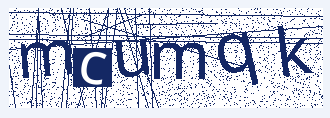
Some of you may be wondering what the point is due to AI being able to beat image captchas in less than a few seconds. With our captcha the entire image is customizable. Adjustments to colors, font, or using question based captcha can help you beat a lot of bots as they exhaust tokens trying to read the captcha. Their failed attempts are also logged and can be used for automatic blocking.
Speaking of blocking there are now 3 new ways to block. Operating System, Browser, and User Agent. All 3 utilize the user agent and while not perfect all commercial products have to provide valid user agents. For example Claude has a static user agent that can be checked against to block forms from being accessible by its agents.
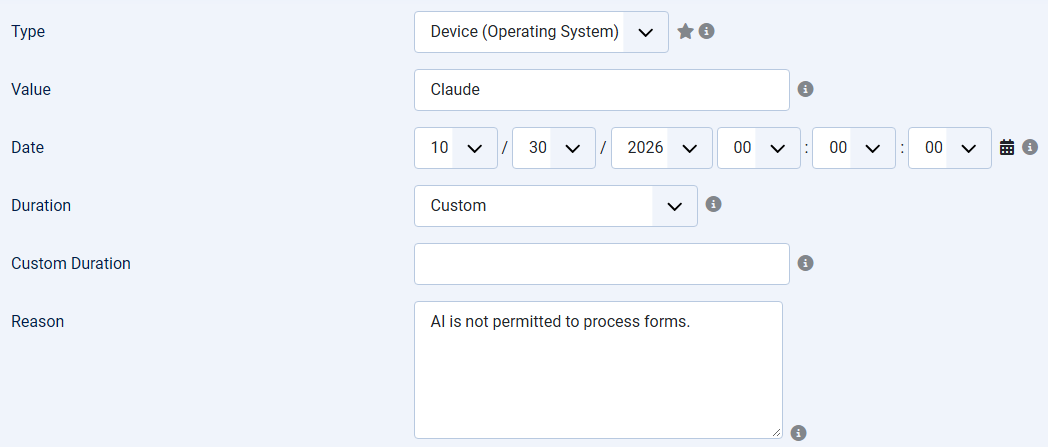
This for example would block all operating systems flagged as Claude. Internally CB AntiSpam checks for the multiple User Agents used by Claude. The idea isn't to block AI from viewing your site, but to block it from interacting with your forms to help avoid spam.
Lastly the internal captcha is now a template file. Specifically captcha.php. This will allow you to customize its layout however you like rearranging the image, buttons, and inputs as needed for your sites design.
For a full list of changes please take a look at our forge below.
https://forge.joomlapolis.com/projects/cb-cbantispam/issues?query_id=323
For more details about CB AntiSpam check out its page below.