Skip to Content Skip to Menu

JS Problem with Date Field (Calendar not showing)

  • ivanebel
  • ivanebel
  • OFFLINE
  • Posts: 1
  • Thanks: 0
  • Karma: 0
13 years 7 months ago #208450 by ivanebel
Greetings Community!

Today I did a fresh install of Joomla 2.5 in my server (PHP 5.3, all working) and I installed the latest CB Component, it's version 1.8.1
I'm having trouble with the Date field. It just doesn't show the calendar at all.
I went through all the forum's topic related to my issue, but didn' help.

It seems it's a Javascript issue.

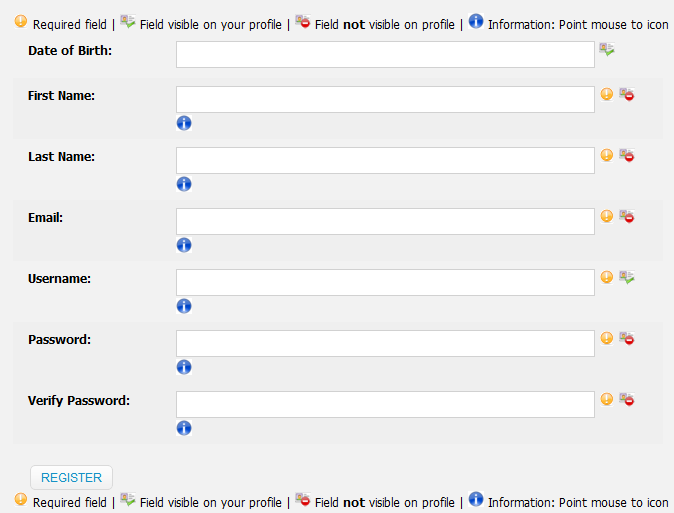
This is the frontend:


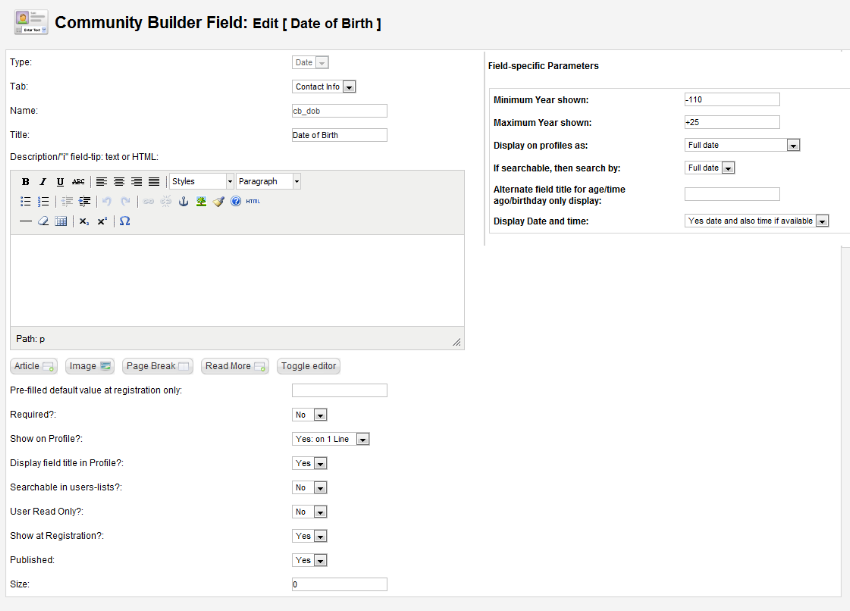
And this is the backend:


I'm using a third-party template, but if I change the default template to one of those that come with a Joomla installation (beez2, beez5), it doesn't work either.

What I already tried:
*Delete the date field and create a new one.
*Deleted all potential-javascript using modules (I only have a slideshow, but it's on the main page)
*Switched to the old popup calendar (This not only doesn't show the calendar, but it also makes the field non-writable, this is simply confusing)


By using the Console, I get the following error:
Uncaught ReferenceError: Calendar is not defined @ calendar-locals.js:12
Uncaught ReferenceError: cbTemplateDir is not defined @ calendardateinput.min.js:8


Please, if there's anybody out there with an idea (or a solution!), it'd be much appreciated, for the Date of Birth is a primary thing in my website, and I can't just let the issue left unresolved.


Thanks in advance!

Attachments:

Please Log in or Create an account to join the conversation.

  • ziggy03
  • ziggy03
  • OFFLINE
  • Posts: 17
  • Thanks: 5
  • Karma: 3
13 years 4 months ago #215586 by ziggy03
Hello,
I am having the same problem, did you have any luck sorting it out?

I am an Indian; I know about & believe in Karma way before forums were even invented ;-)

Please Log in or Create an account to join the conversation.

  • novisoft
  • novisoft
  • OFFLINE
  • Posts: 1
  • Thanks: 0
  • Karma: 0
13 years 1 month ago #220300 by novisoft
We're getting this error too.

The proper JavaScript code gets to the header, but it doesn't get there in the proper order...

Only happens in the front-end - the back-end renders JavaScript in the proper order.

I'm not making any sense of this at the moment.

Please Log in or Create an account to join the conversation.

12 years 10 months ago - 12 years 10 months ago #228000 by bhoomikabarot
Replied by bhoomikabarot on topic JS Problem with Date Field (Calendar not showing)
I am also having the same problem..

Calendar for date field not displaying on front,but it is showing when i open user registration from back end,

Please suggest any idea,to solve this error
Last edit: 12 years 10 months ago by bhoomikabarot.

Please Log in or Create an account to join the conversation.

  • Cypher666
  • Cypher666
  • OFFLINE
  • Posts: 26
  • Thanks: 4
  • Karma: 0
12 years 9 months ago #228960 by Cypher666
Hi there,

...and the next one with this problem. I am using a fresh Joomla 2.5.11 and CB 1.9 installation...

Hope that anybody has an idea!

Rgds!

Please Log in or Create an account to join the conversation.

  • nant
  • nant
  • OFFLINE
  • Posts: 12339
  • Thanks: 1467
  • Karma: 877
12 years 9 months ago #228981 by nant

Cypher666 wrote: Hi there,

...and the next one with this problem. I am using a fresh Joomla 2.5.11 and CB 1.9 installation...

Hope that anybody has an idea!

Rgds!


I have no issues on a clean install.

Please Log in or Create an account to join the conversation.

Moderators: beatnantkrileon
Powered by Kunena Forum