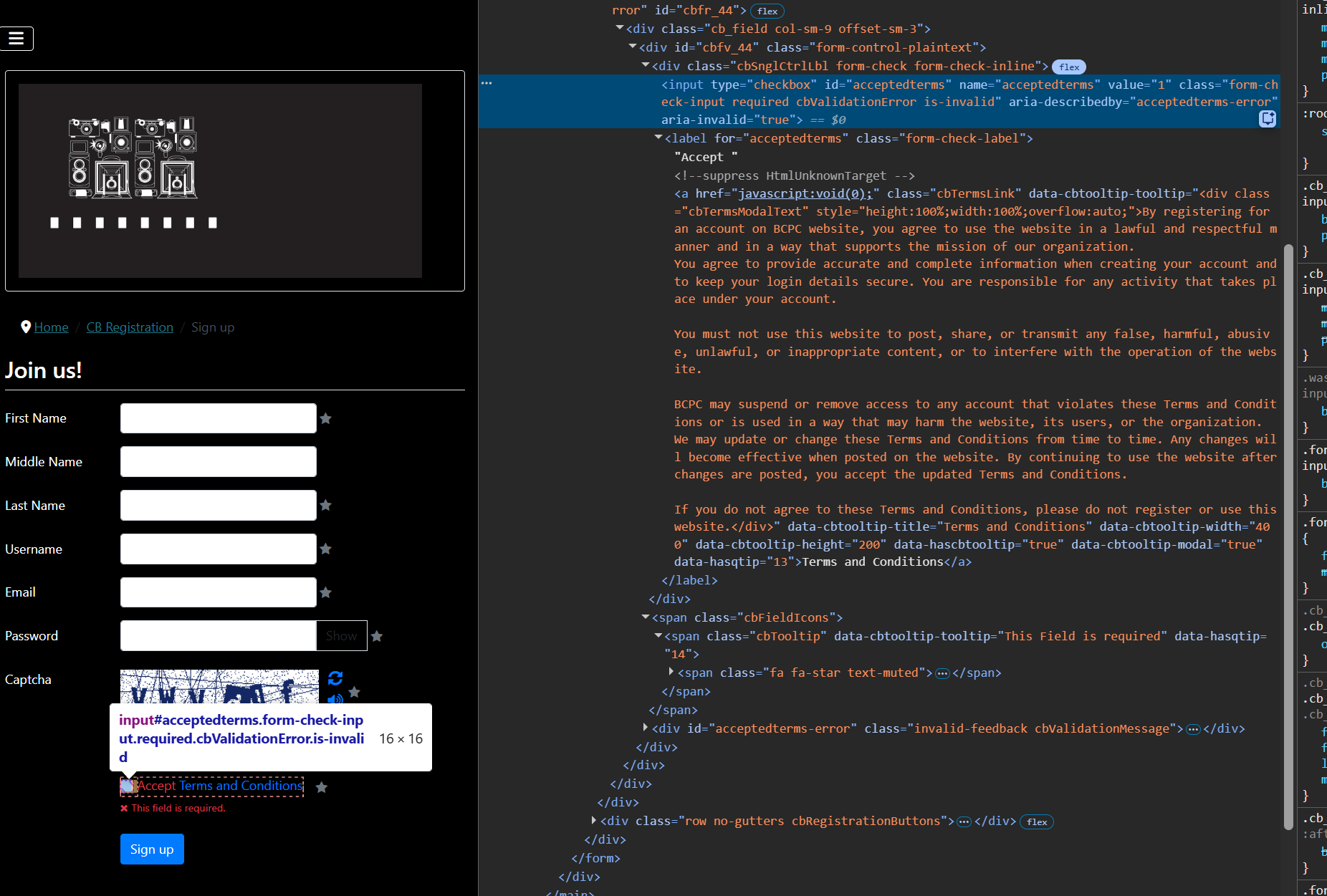
Have reviewed your install. The checkbox is actually working. The reason it doesn't look checked is the CSS on your site has the checkmark color as white. The background is also white. So you can't see that it's checked. Easiest way to know it's checked is the validation error goes away. When you right click and inspect element on the checkbox you'll see the following CSS.
Code:
.form-check-input:checked[type=checkbox] {
--form-check-bg-image: url(data:image/svg+xml,%3csvg xmlns='http://www.w3.org/2000/svg' viewBox='0 0 20 20'%3e%3cpath fill='none' stroke='hsl%280, 0%, 100%%29' stroke-linecap='round' stroke-linejoin='round' stroke-width='3' d='m6 10 3 3 6-6'/%3e%3c/svg%3e);
}
That's the CSS Joomla uses in the Cassiopeia template to display checkmarks. If you then add something like "background-color: black;" to the checkbox you'll see that it's checked. I recommend working on your sites styling a bit more as some elements don't appear ready for black background or consider moving away from black background.
This is partially due to a style conflict between Joomla and CB though. You can resolve that partial conflict within CB > Configuration > Integration by setting "Bootstrap (Frontend)" to "Bootstrap 5 Compatibility". This will at least force CB to just inherit whatever styling Joomla's Bootstrap is providing.
You will still have a white checkmark though. That seams to be a bug in Joomla's template itself. I'm guessing you used the new feature to generate Cassiopeia with custom colors? It seams to have a color conflict between the template and colors.css. The below is your CSS with more selector weight so it applies. This is just a bandaid fix though as ideally your template needs fixed.
Code:
.site .form-check-input:checked {
background-color: #010156;
border-color: #010156;
}
You can apply it using CB template CSS overrides shown below or use Joomla's user.css override file.
www.joomlapolis.com/blog/kyle/18711-template-css-overrides-made-easy




 krileon