Please Log in or Create an account to join the conversation.
Please Log in or Create an account to join the conversation.
 krileon

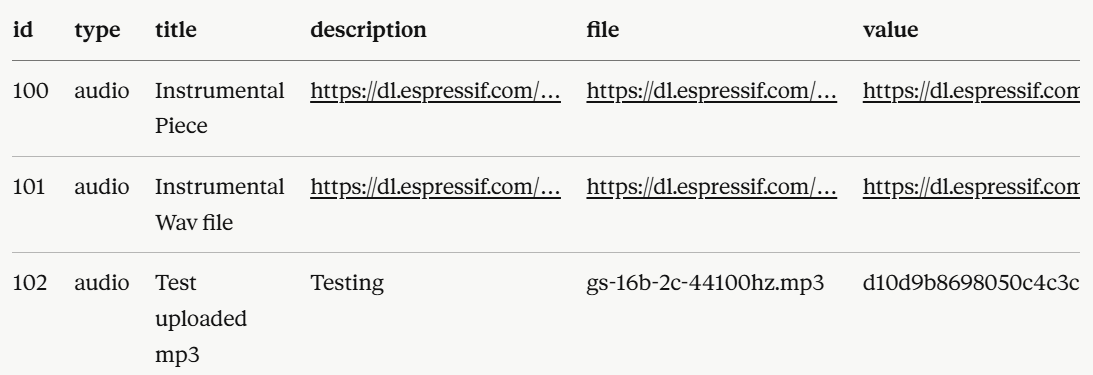
That's not possible. $title is just $row->getString( 'title', '' ) but passed through the onDisplayGalleryItem trigger. So unless you've overridden the template file with your own and there's something wrong in your custom template file or you're acting on onDisplayGalleryItem the title should display fine. What type of media it is is also irrelevant. They all go through the same display logic except for the media itself. Was not able to confirm any issues here.It seems that in templates/panels/gallery/item.php, $title and $description are both empty for item 102 and the entire galleryItemContainerDetails div is omitted from the DOM for an uploaded audio. ItemsHelper::layoutData() appears to be returning empty title and description entries for upload-type audio items (type = audio, file column = original filename, value column = stored hashed filename) but items shared through URL, URL-type audio items (type = audio, file = URL, value = URL) work fine through the same helper.
The documentation doesn't show any changes with the ffmpeg command lines. Are you sure your ffmpeg path is configured correctly or that your host has it installed correctly?FFmpeg 8.x compatibility
I was able to confirm this and am working on a fix.Additional issue — panels template auto-plays all audio items simultaneously on album load
Please Log in or Create an account to join the conversation.
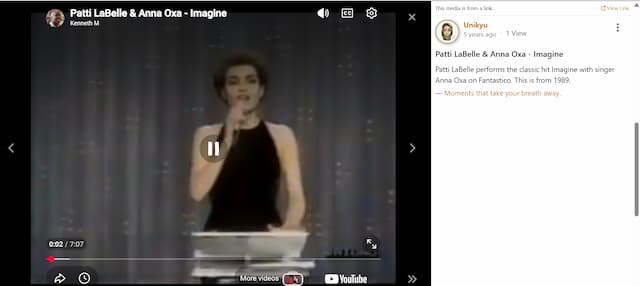
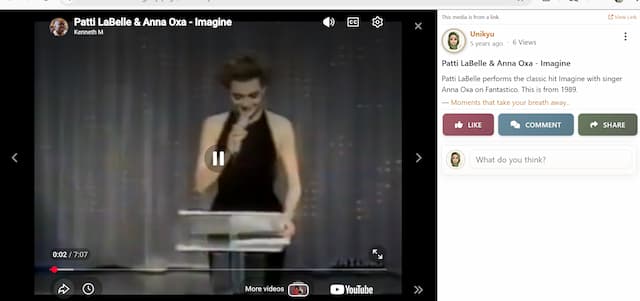
krileonPlease be sure you've the latest CB Activity build release installed. A stable release is not out yet with compatibility. You must be on the latest build release. If you're still having issues compare your CB Gallery > Galleries and CB Activity > Streams > Comments configuration to our demo site below where all of this is working as expected.After further testing, I also noticed that clicking into a media item (either on profile gallery or inside an album) opens the modal with title/description/views displayed correctly in the right panel, but the Like / Comment / Share button row and the comment input field are missing.
Please Log in or Create an account to join the conversation.
krileonPlease Log in or Create an account to join the conversation.
Please Log in or Create an account to join the conversation.