

Skip to Content Skip to Menu

Upload photos to the gallery

  • Latypov
  • Latypov
  • ONLINE
  • Posts: 12
  • Thanks: 1
  • Karma: 0
1 week 18 hours ago #344286 by Latypov
Upload photos to the gallery was created by Latypov
Hi. I just installed the new version of CB 2.11.0+build.2026.05.04.17.01.28. 8d34d7a6c CB Gallery 4.1.2 Joomla 6.1.2
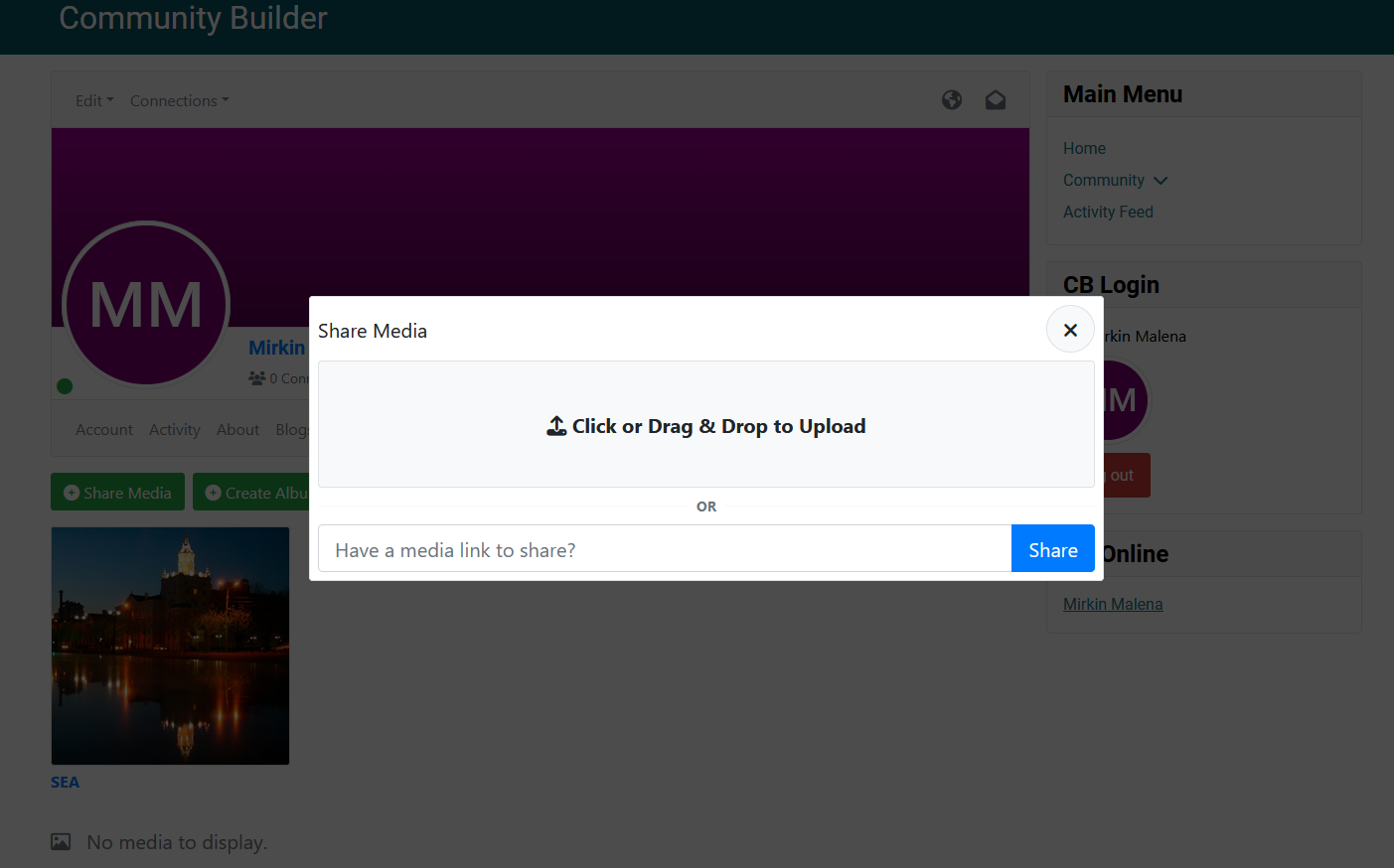
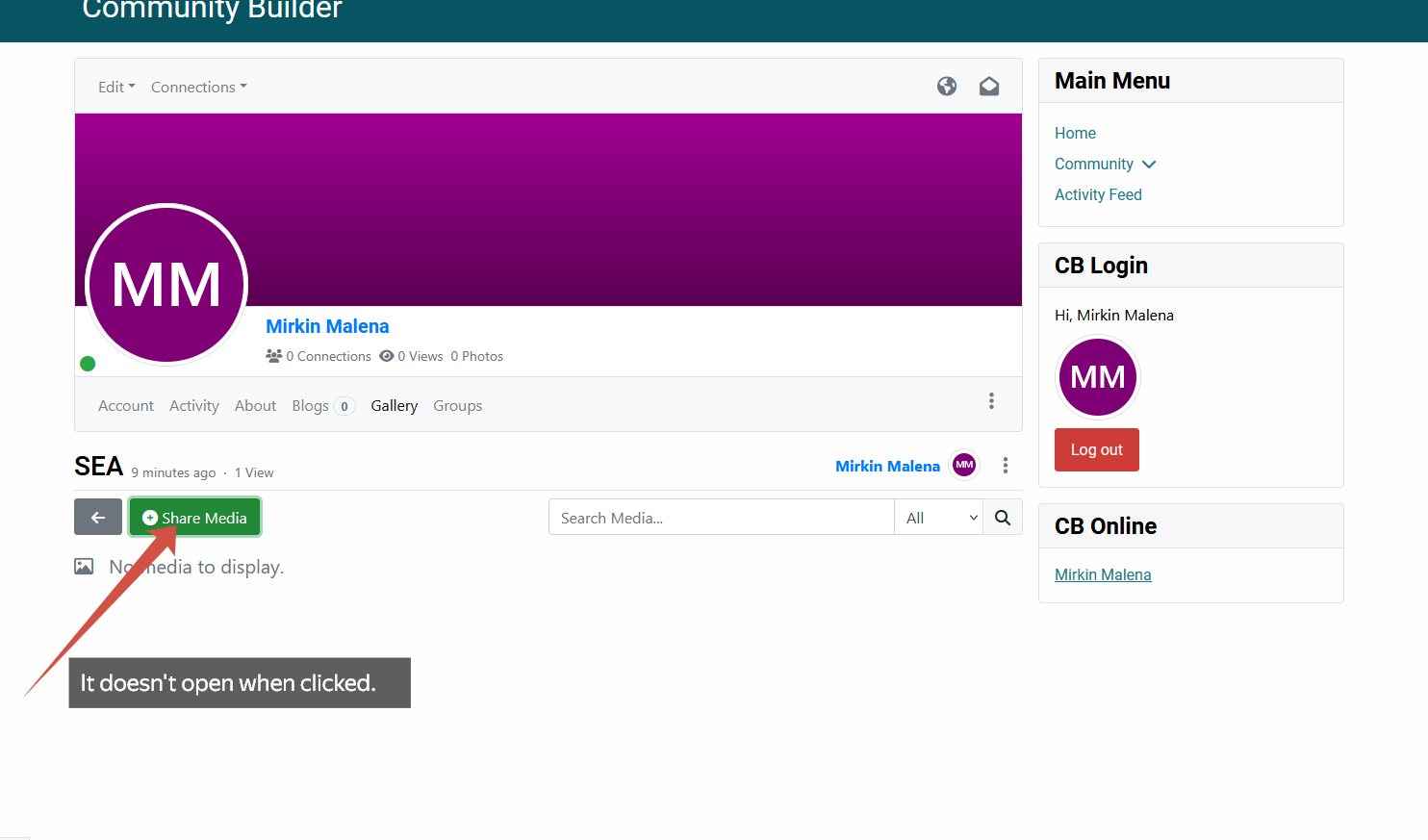
When I open the gallery, I can upload photos to the gallery. But when I create an album, I can't upload photos to the album.

Thanks, best regards 
Attachments:

Please Log in or Create an account to join the conversation.

  • krileon
  • krileon
  • ONLINE
  • Posts: 50603
  • Thanks: 8667
  • Karma: 1473
1 week 14 hours ago #344289 by krileon
Replied by krileon on topic Upload photos to the gallery
Does it let you upload to the album after refreshing the page then navigating into it? As in is this only happening if you create an album, navigate into it, then try to upload? Currently am unable to confirm your issue.


Kyle (Krileon)
Community Builder Team Member
Before posting on forums: Read FAQ thoroughly + Read our Documentation + Search the forums
CB links: Documentation - Localization - CB Quickstart - CB Paid Subscriptions - Add-Ons - Forge
--
If you are a Professional, Developer, or CB Paid Subscriptions subscriber and have a support issue please always post in your respective support forums for best results!
--
If I've missed your support post with a delay of 3 days or greater and are a Professional, Developer, or CBSubs subscriber please send me a private message with your thread and will reply when possible!
--
Please note I am available Monday - Friday from 8:00 AM CST to 4:00 PM CST. I am away on weekends (Saturday and Sunday) and if I've missed your post on or before a weekend after business hours please wait for the next following business day (Monday) and will get to your issue as soon as possible, thank you.
--
My role here is to provide guidance and assistance. I cannot provide custom code for each custom requirement. Please do not inquire me about custom development.

Please Log in or Create an account to join the conversation.

  • Latypov
  • Latypov
  • ONLINE
  • Posts: 12
  • Thanks: 1
  • Karma: 0
6 days 18 hours ago #344296 by Latypov
Replied by Latypov on topic Upload photos to the gallery
I sent you a private message

Please Log in or Create an account to join the conversation.

  • krileon
  • krileon
  • ONLINE
  • Posts: 50603
  • Thanks: 8667
  • Karma: 1473
6 days 13 hours ago #344300 by krileon
Replied by krileon on topic Upload photos to the gallery
Share Media in your album is throwing a 401 error. You've an access issue somewhere. Please review your gallery settings carefully. If they were changed from defaults compare to our demo site and reset them to see if that resolves your issue.

In the future do not send login credentials we did not request. We do not do install reviews on demand. They are a last resort in the support process.


Kyle (Krileon)
Community Builder Team Member
Before posting on forums: Read FAQ thoroughly + Read our Documentation + Search the forums
CB links: Documentation - Localization - CB Quickstart - CB Paid Subscriptions - Add-Ons - Forge
--
If you are a Professional, Developer, or CB Paid Subscriptions subscriber and have a support issue please always post in your respective support forums for best results!
--
If I've missed your support post with a delay of 3 days or greater and are a Professional, Developer, or CBSubs subscriber please send me a private message with your thread and will reply when possible!
--
Please note I am available Monday - Friday from 8:00 AM CST to 4:00 PM CST. I am away on weekends (Saturday and Sunday) and if I've missed your post on or before a weekend after business hours please wait for the next following business day (Monday) and will get to your issue as soon as possible, thank you.
--
My role here is to provide guidance and assistance. I cannot provide custom code for each custom requirement. Please do not inquire me about custom development.

Please Log in or Create an account to join the conversation.

  • Latypov
  • Latypov
  • ONLINE
  • Posts: 12
  • Thanks: 1
  • Karma: 0
2 days 17 hours ago #344310 by Latypov
Replied by Latypov on topic Upload photos to the gallery
That's why I asked for help. I have the default gallery settings. I just installed the site and your component.
An analysis of your demo site showed that you have multiple CB Galleries: Galleries.
I only have one default gallery, Profile Gallery.
Tell me where I can find the settings so users can add photos to their galleries.

The site I sent you the link to isn't a working project. I only created it to study the component. And all the settings are default. But users can't upload photos to the galleries.

And can you tell me if it's possible to create a gallery that will automatically display photos users add through their activity feed.

Please Log in or Create an account to join the conversation.
  • krileon
  • krileon
  • ONLINE
  • Posts: 50603
  • Thanks: 8667
  • Karma: 1473
2 days 14 hours ago #344312 by krileon
Replied by krileon on topic Upload photos to the gallery

I only have one default gallery, Profile Gallery.

Did you delete the other galleries? Please re-install to restore them.

Tell me where I can find the settings so users can add photos to their galleries.

Galleries settings are entirely self contained within CB Gallery > Galleries. Everything you need to configure a gallery is there.

It's entirely possible you're being blocked by Joomla menu access controls. Try creating a Joomla menu item to your gallery. To do so create a menu item with a menu type of Community Builder > Plugin then for Plugin select CB Gallery. Now select your gallery and ensure that menu is accessible to your regular registered users. Note it does not have to be actually visible as you can toggle off its visibility or place it in a menu that isn't rendered by a menu module.

And can you tell me if it's possible to create a gallery that will automatically display photos users add through their activity feed.

Yes that's possible. The below should work.

Global
Asset: profile.[displayed_id]
Filters > Display > Include
Assets: activity.%
Users: [displayed_id]

I recommend turning off create access though as it'd upload to profile gallery. Can also use the CB Gallery Module to display this media without having to create a gallery for it.


Kyle (Krileon)
Community Builder Team Member
Before posting on forums: Read FAQ thoroughly + Read our Documentation + Search the forums
CB links: Documentation - Localization - CB Quickstart - CB Paid Subscriptions - Add-Ons - Forge
--
If you are a Professional, Developer, or CB Paid Subscriptions subscriber and have a support issue please always post in your respective support forums for best results!
--
If I've missed your support post with a delay of 3 days or greater and are a Professional, Developer, or CBSubs subscriber please send me a private message with your thread and will reply when possible!
--
Please note I am available Monday - Friday from 8:00 AM CST to 4:00 PM CST. I am away on weekends (Saturday and Sunday) and if I've missed your post on or before a weekend after business hours please wait for the next following business day (Monday) and will get to your issue as soon as possible, thank you.
--
My role here is to provide guidance and assistance. I cannot provide custom code for each custom requirement. Please do not inquire me about custom development.

Please Log in or Create an account to join the conversation.
Moderators: beatnantkrileon
Powered by Kunena Forum

