



Please Log in or Create an account to join the conversation.
 krileon

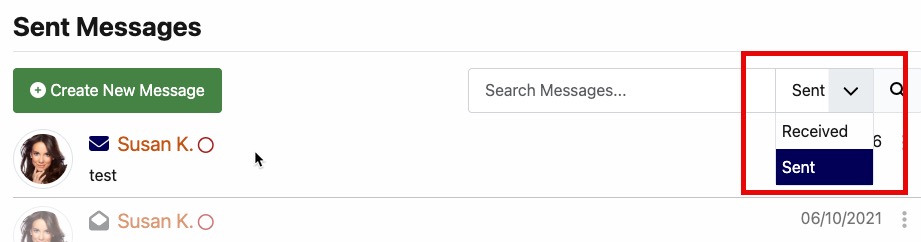
It's only visible on the private message page itself. It does not display in the modal popup. It also does not display on type specific pages. For example if your Joomla menu item is explicitly to the received or sent private message page the dropdown will not be visible.1. I'm trying to figure out how to show the Sent & Received search filter option that I see in your demo for Private Messages (see reference below)
Within Private Message System > Parameters > Internal > Create adjust "User Messages To" as needed. For the record all of the PMS internal settings are configured in Private Message System > Parameters > Internal so I'd look there first anytime you're looking for a setting to adjust how the PMS behaves.2. I am also trying to figure out how to adjust who people can send Private Messages to. In one case (shown below), a user only seems to be able to send a private message to someone they are connected with. I would like members from a particular usergroup to be able to Private Message each other even if they are not connected. I'm sure it's a setting I configured that I messed up.
Nope. The only thing that can prevent replying is the recipient doesn't exist or CB Privacy is blocking permission as user blocks and permissions on the PM field will also restrict recipient access.3. Does the ability to reply to a Private Message expire after a certain time? I found one user who has some older messages where the reply button is not visible. Note: The user that was messaged has expired or downgraded to a free limited access plan. Could that be why?
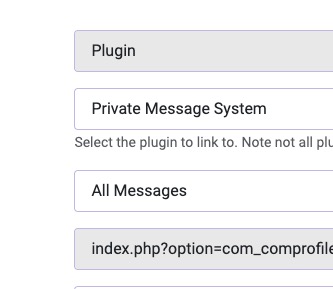
It goes to the generic private messages page with searching, the dropdown, your messages, etc.. check the "action" in the URL and ensure it doesn't exist. Joomla gets real wonky when you change a menus type so if this was a different view or plugin at any point the URL may have properties in it from those previous menu items.4. What is a user supposed to see when I configure the "All Messages" option for the menu to Private Messaging? From my testing, it seems to redirect to the New Message Page when I would expect it to show a page of sent/received messages, which differs from the Send Messages and Received Messages option of the menu
Please Log in or Create an account to join the conversation.
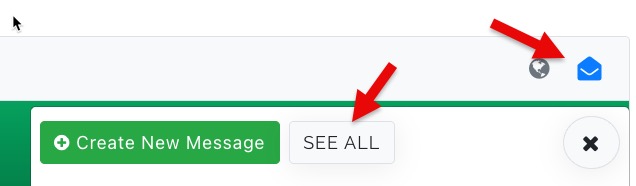
So is the only way to get to this page from the profile view page or by creating an "All Messages" using the CB Plugin menu option?It's only visible on the private message page itself.
2. I am also trying to figure out how to adjust who people can send Private Messages to. In one case (shown below), a user only seems to be able to send a private message to someone they are connected with. I would like members from a particular usergroup to be able to Private Message each other even if they are not connected. I'm sure it's a setting I configured that I messed up.
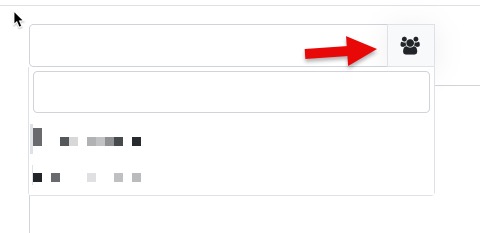
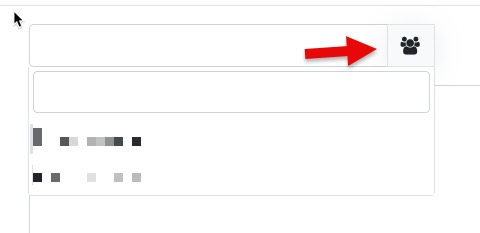
I set the Private Message System > Parameters > Internal > Create adjust "User Messages To "View Access Level" and then selected "Registered," but strangely, when the users click the button shows below. They only see in the dropdown the people they are connected to.Within Private Message System > Parameters > Internal > Create adjust "User Messages To" as needed. For the record all of the PMS internal settings are configured in Private Message System > Parameters > Internal so I'd look there first anytime you're looking for a setting to adjust how the PMS behaves.
Please Log in or Create an account to join the conversation.
krileonYes.So is the only way to get to this page from the profile view page or by creating an "All Messages" using the CB Plugin menu option?
That's all that button does. There is no generic autocomplete for messaging someone at this time.I set the Private Message System > Parameters > Internal > Create adjust "User Messages To "View Access Level" and then selected "Registered," but strangely, when the users click the button shows below. They only see in the dropdown the people they are connected to.
Correct. They need to go to that users profile or know their username.They have no way to know how/who to reach others unless they go to that user's profile and select "Send Private Message.
It doesn't have an autocomplete at this time. That's planned for CB 3.0 when I rewrite it into a messenger (e.g. like Facebook and other social media).And the other thing I notice is if they type in any name, nothing autopopulates, and if they happen to randomly pick a name of an existing user by typing it in, the message gets sent, but it's not until it gets sent that you know if it went to the correct person.
By user id or by username both work.I'm also not sure what the user would type in (the name, username or email)
Please Log in or Create an account to join the conversation.
I'm also not sure what the user would type in (the name, username or email)
Follow-up questions about the input of a username or user ID:By user id or by username both work.
Please Log in or Create an account to join the conversation.
krileonYes.1. User ID - Is this the unique number generated upon user creation?
Add [user_id] to a Custom HTML field.2. Is there a way to display it on a member page so other users can see it (I am guessing yes)?
No, it's public information as it's needed to view profiles or do anything in relation to a user via URLs, etc..2. Is there any security risk to making this visible?
Yes.3. Are usernames unique so as not to accidentally send a message to the wrong user?
Ideally you go to their profile and message them from there and connect with them so you can use the dropdown.3. The way it's set up now, there is no way to know if you are sending it to the right person until after you send. (unless you send message from their profile page)
Usernames are also public. I typically recommend setting login to be by email though so that username functions more of like a display name.4. Same question as #2: presumably I can display usernames on profiles?
If you changed how the formatname field displays then yes you'll need to do similar to insert additional content into the GJ user containers. I'm currently working on a new GJ release though and am looking into adding support for easily adding new fields to that container though.5. I would like to display the username or ID on the card that appears in the member tab of a group. Do I need to do something similar to what I asked here:
Please Log in or Create an account to join the conversation.