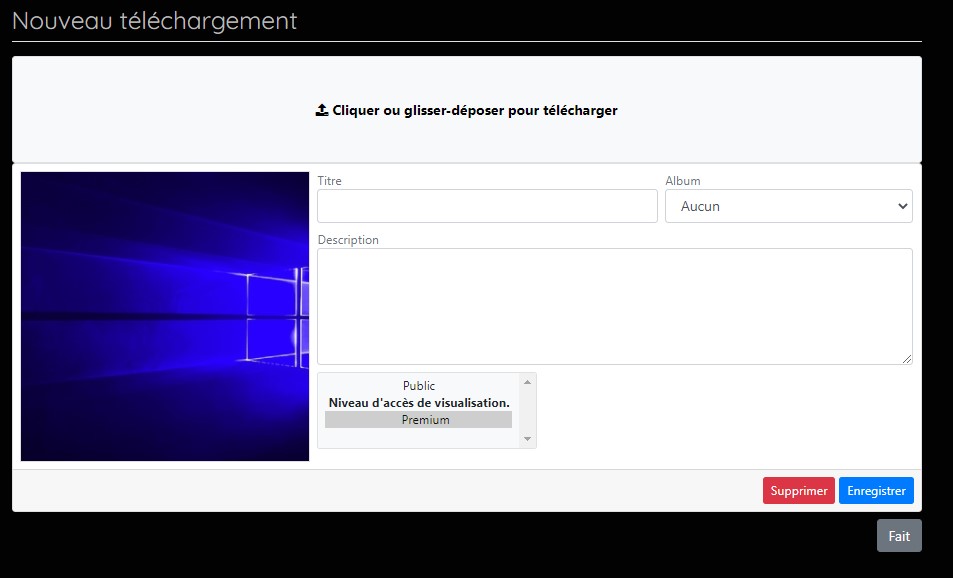
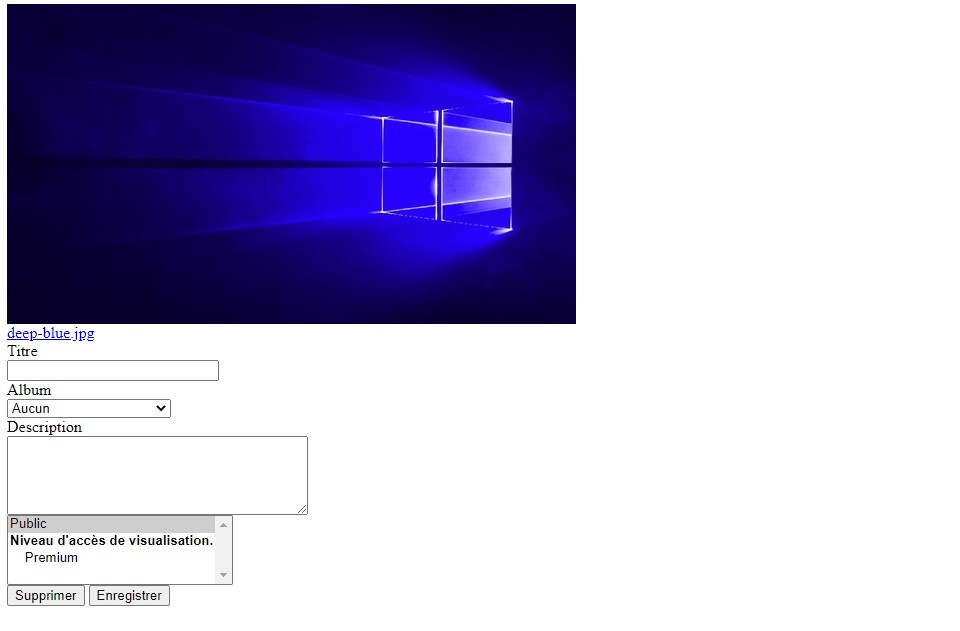
After updating cbgallery something is wrong:
- after downloading an image
, this screen is displayed after clicking on "save"
Can I simply install an old version via joomla install menu from cbgallery while waiting for a bug fix?
Update : after reinstallation of the version "plug_cbgallery_2.4.0+build.2020.10.01.16.11.04.2cd0b3ec2" the problem disappeared
This seems to confirm a bug of the latest version of cbgallery

Hi had the same problem but Kyle already solved it within a few hours of the problem having been reported. Simply install the newest version of CB Gallery...
That should already be fixed. Please be sure you've 2.4.0+build.2020.11.20.19.10.26.4fec974e2 installed. If you've Joomla cache enabled please clear all cache after updating anything.
Kyle (Krileon) Community Builder Team Member Before posting on forums:
Read FAQ thoroughly
+
Read our Documentation
+
Search the forums CB links:
Documentation
-
Localization
-
CB Quickstart
-
CB Paid Subscriptions
-
Add-Ons
-
Forge
-- If you are a Professional, Developer, or CB Paid Subscriptions subscriber and have a support issue please always post in your respective support forums for best results!
-- If I've missed your support post with a delay of 3 days or greater and are a Professional, Developer, or CBSubs subscriber please
send me a private message
with your thread and will reply when possible!
-- Please note I am available Monday - Friday from 8:00 AM CST to 4:00 PM CST. I am away on weekends (Saturday and Sunday) and if I've missed your post on or before a weekend after business hours please wait for the next following business day (Monday) and will get to your issue as soon as possible, thank you.
-- My role here is to provide guidance and assistance. I cannot provide custom code for each custom requirement. Please do not inquire me about custom development.