Skip to Content Skip to Menu

🎉 Black Friday Sale! Great savings on Professional and Developer Memberships! Get 25% off now with code BLACK-FRIDAY-2026!

CB Gallery — Activity

  • Latypov
  • Latypov
  • ONLINE
  • Posts: 44
  • Thanks: 4
  • Karma: 0
2 weeks 21 hours ago #344787 by Latypov
Replied by Latypov on topic CB Gallery — Activity
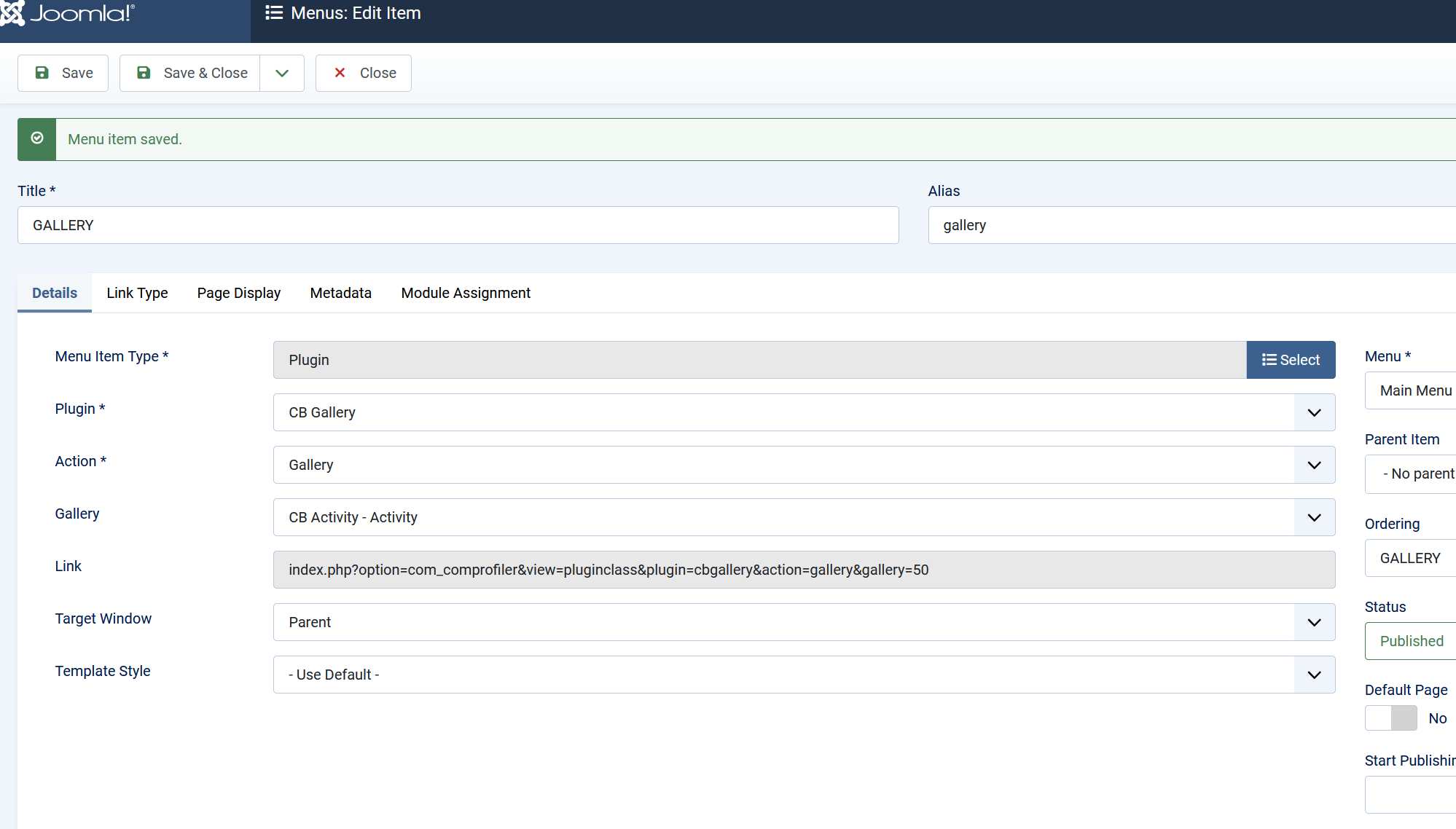
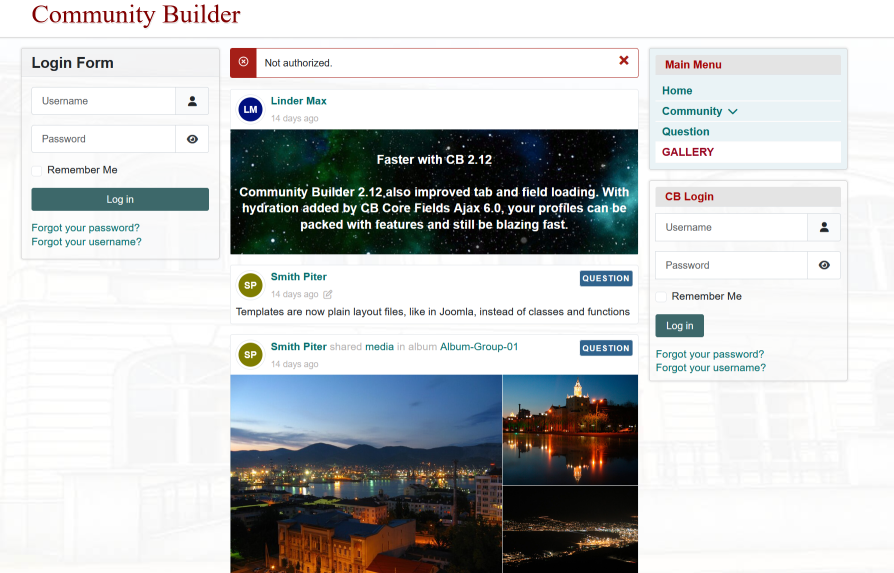
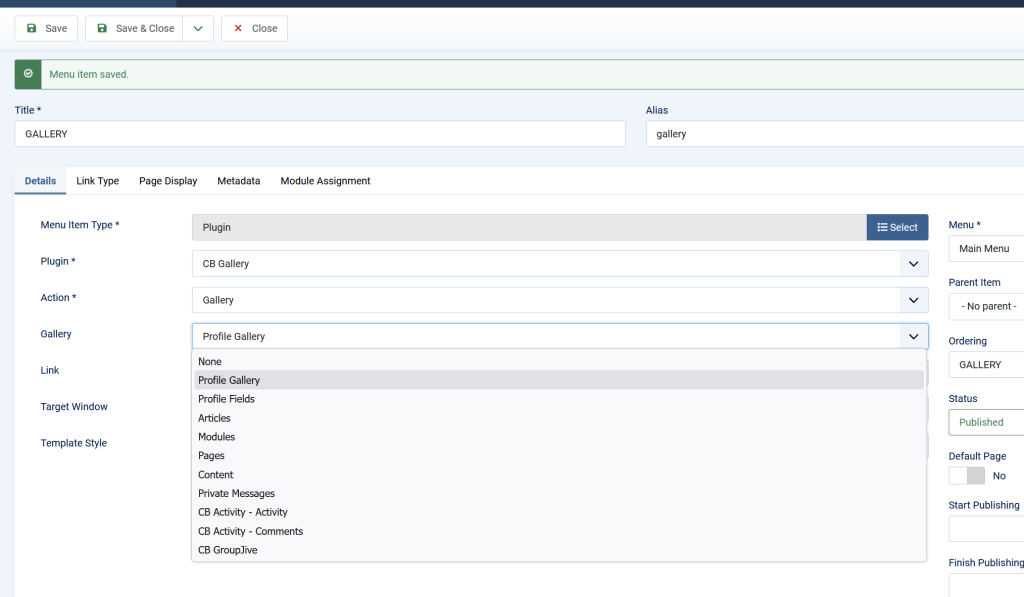
I wanted to make a link in the menu to a photo of the activity feed of all users. I used the pre-installed gallery. But it didn't work out - Not authorized.
I've seen examples. But it's hard for me to understand how they work. If it just said an example
All user albums - albums.user.%
All group albums - albums.group.%
 
Attachments:

Please Log in or Create an account to join the conversation.

  • krileon
  • krileon
  • ONLINE
  • Posts: 50838
  • Thanks: 8711
  • Karma: 1475
2 weeks 21 hours ago #344788 by krileon
Replied by krileon on topic CB Gallery — Activity
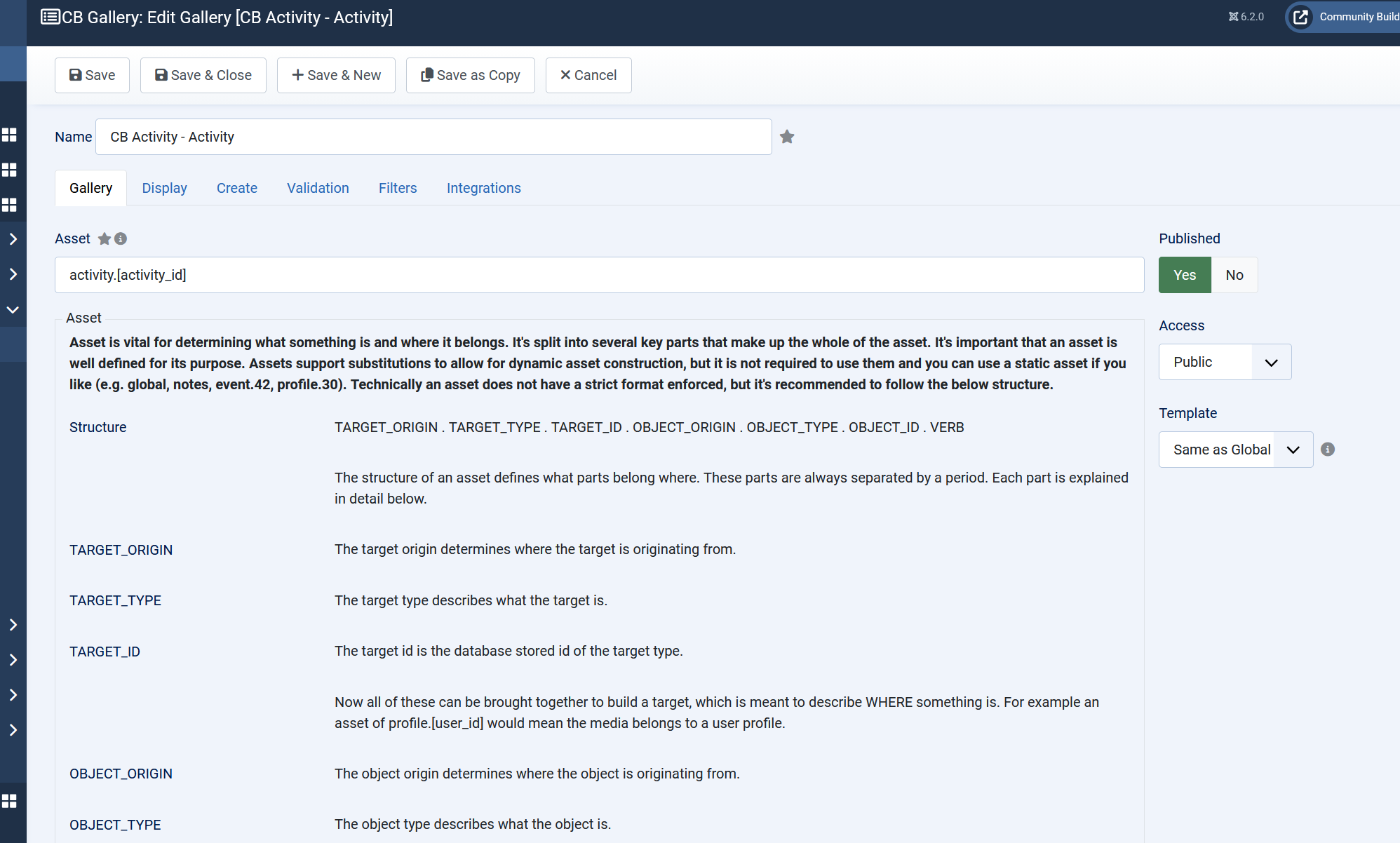
You can't use activity.[activity_id] for the asset thus you cannot directly access the "CB Activity - Activity" gallery. That's expecting an activity stream to populate the activity id. That's not possible for directly accessed galleries without a media or album id. The example in my below reply will show all activity shared photos using the CB Gallery module.

www.joomlapolis.com/forum/professional-members-support/248224-cb-gallery---activity?start=0#344782

You don't need anything beyond that module. You can embed it in a Joomla article if you want to render it through a Joomla menu item.

You can find the existing assets of existing media in CB Gallery > Media and CB Gallery > Albums. Those can be used to filter down the module. Wildcards are supported as well. So for example if you've media with an asset of "activity.123" then "activity.%" asset in your module will display it along with any other media with an activity.ACTIVITY_ID asset.

There isn't a way to do what the module can do directly from a Joomla menu item at this time beyond embedding the module into an article or making an entirely new gallery to handle it, which is a lot more configuration to deal with than just using the module.

Please give the CB Gallery Module and its Media mode a try. I believe it will do entirely what you're wanting with minimal configuration.


Kyle (Krileon)
Community Builder Team Member
Before posting on forums: Read FAQ thoroughly + Read our Documentation + Search the forums
CB links: Documentation - Localization - CB Quickstart - CB Paid Subscriptions - Add-Ons - Forge
--
If you are a Professional, Developer, or CB Paid Subscriptions subscriber and have a support issue please always post in your respective support forums for best results!
--
If I've missed your support post with a delay of 3 days or greater and are a Professional, Developer, or CBSubs subscriber please send me a private message with your thread and will reply when possible!
--
Please note I am available Monday - Friday from 8:00 AM CST to 4:00 PM CST. I am away on weekends (Saturday and Sunday) and if I've missed your post on or before a weekend after business hours please wait for the next following business day (Monday) and will get to your issue as soon as possible, thank you.
--
My role here is to provide guidance and assistance. I cannot provide custom code for each custom requirement. Please do not inquire me about custom development.

Please Log in or Create an account to join the conversation.
  • Latypov
  • Latypov
  • ONLINE
  • Posts: 44
  • Thanks: 4
  • Karma: 0
2 weeks 21 hours ago #344789 by Latypov
Replied by Latypov on topic CB Gallery — Activity
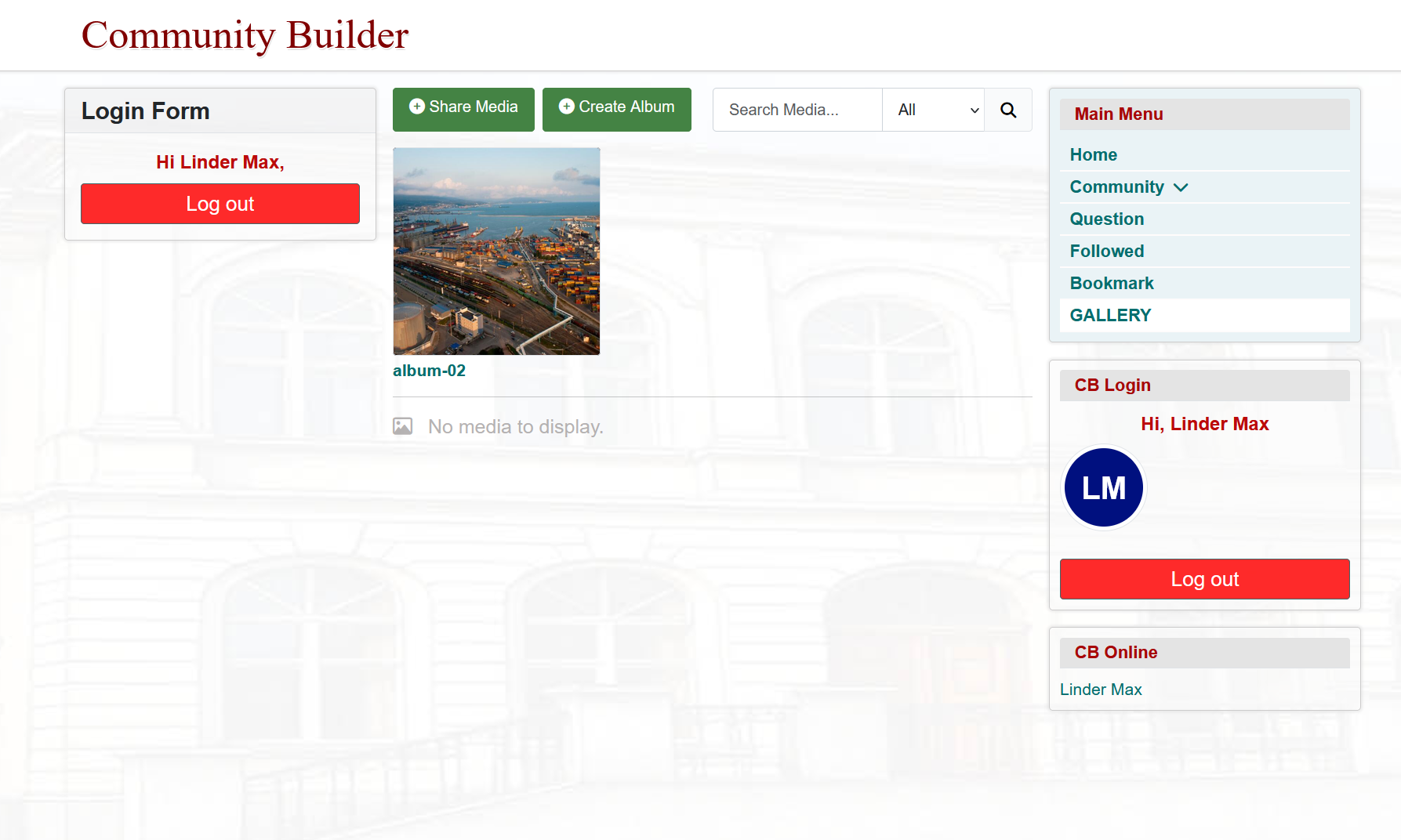
When I link to the Profile Gallery, it works. But links to other galleries don't work. Profile Gallery displays only the galleries of the current user. I want to create a gallery the same as the Profile Gallery, but not for the current user, but for all users. The option with the module and the article will not suit me, since each photo is displayed there in a separate block.
Attachments:

Please Log in or Create an account to join the conversation.
  • krileon
  • krileon
  • ONLINE
  • Posts: 50838
  • Thanks: 8711
  • Karma: 1475
2 weeks 19 hours ago - 2 weeks 19 hours ago #344790 by krileon
Replied by krileon on topic CB Gallery — Activity
The profile gallery will fallback to the viewing users user id. That's not the same as an activity gallery that's dynamically populated when rendered inside of activity on an activity stream. It can't dynamically populate an activity id because it has no id to give.

If you want to show media from all profile galleries while still allowing uploading to a users own profile gallery then make a copy of the "Profile Gallery" gallery then edit your copy and under Filters > Display set "Assets" to "profile.%". This will show gallery entries from every users profile while still allowing the viewing user to upload to their own. That's all there is to it to asset. It just determines where something belongs and whom may own it. Using it you can filter a gallery or a media module where % acts as a wildcard. This and more is explained in the parameter descriptions with examples so please be sure to read them carefully.

Once you're done configuring your custom gallery all you need to do now is link to it in your Joomla menu item. You can also display it in a module or even as a profile field. If you want it to also display activity entries simply adjust "Assets" under Filters > Display again. For example "profile.%,activity.%" will show all profile media and activity media as it accepts a comma list of assets to display.

If you don't want to allow uploading from this gallery and you need it publicly visible then set "Asset" under Global to "all". Then turn off media and album create under the Create tab.

To further clarify something the "Asset" under Global handles storage. The Filters tab handles what is actually display. So the Filters tab is how you can determine exactly what a gallery should display.


Kyle (Krileon)
Community Builder Team Member
Before posting on forums: Read FAQ thoroughly + Read our Documentation + Search the forums
CB links: Documentation - Localization - CB Quickstart - CB Paid Subscriptions - Add-Ons - Forge
--
If you are a Professional, Developer, or CB Paid Subscriptions subscriber and have a support issue please always post in your respective support forums for best results!
--
If I've missed your support post with a delay of 3 days or greater and are a Professional, Developer, or CBSubs subscriber please send me a private message with your thread and will reply when possible!
--
Please note I am available Monday - Friday from 8:00 AM CST to 4:00 PM CST. I am away on weekends (Saturday and Sunday) and if I've missed your post on or before a weekend after business hours please wait for the next following business day (Monday) and will get to your issue as soon as possible, thank you.
--
My role here is to provide guidance and assistance. I cannot provide custom code for each custom requirement. Please do not inquire me about custom development.
Last edit: 2 weeks 19 hours ago by krileon.

Please Log in or Create an account to join the conversation.
  • Latypov
  • Latypov
  • ONLINE
  • Posts: 44
  • Thanks: 4
  • Karma: 0
2 weeks 7 hours ago #344791 by Latypov
Replied by Latypov on topic CB Gallery — Activity
Thank you very much. Everything worked out for me. Now I have a better understanding of the settings of your components. Compared to other components, you have implemented many more features. I understand that component settings are not part of technical support, but you provide good assistance to your clients. I would like to offer you some ideas for developing the component.

1. For groups, create different types of group members so that group authors can assign different labels (for example, guitarist, vocalist). This will allow you to create not only regular groups but also musical and other types of groups.
2. In the group category, make settings for different types of groups. Currently, you have two types implemented — groups and pages. You can add events and organizations as well. You just need to create a tab in the group category settings with changes to the language constants (for example, instead of “Joining the group,” use “Subscription to the page”). This will allow website developers to implement any ideas.
3. Make it possible to create and edit your own tabs when creating groups in the backend.

 I understand that these ideas may be interesting to me, but not to most users. But this might make your component more multipurpose.

Please Log in or Create an account to join the conversation.
  • krileon
  • krileon
  • ONLINE
  • Posts: 50838
  • Thanks: 8711
  • Karma: 1475
2 weeks 28 minutes ago #344794 by krileon
Replied by krileon on topic CB Gallery — Activity

1. For groups, create different types of group members so that group authors can assign different labels (for example, guitarist, vocalist). This will allow you to create not only regular groups but also musical and other types of groups.

By types of groups do you mean in CB GroupJive? What would these different types do exactly? Currently the plan is to get rid of Categories and replace those with a tagging system then allow groups to have multiple tags. So for example you could tag a group as "Music" then also tag it as "Rock" for rock music basically. Would that work for your needs better?

2. In the group category, make settings for different types of groups. Currently, you have two types implemented — groups and pages. You can add events and organizations as well. You just need to create a tab in the group category settings with changes to the language constants (for example, instead of “Joining the group,” use “Subscription to the page”). This will allow website developers to implement any ideas.

The best way to do that is with CB Activity integration. It can output Follow buttons allowing users to Follow a Page type group and show that groups activity on their own activity feeds. Page type groups don't have user management so there isn't really anything beyond that available.

3. Make it possible to create and edit your own tabs when creating groups in the backend.

That is absolutely planned. The plan is to add Joomla Field and Field Group support to groups so you can have custom fields and tabs of whatever you like. This will be implemented when CB GroupJive is converted to a standalone Joomla extension in a future release.


Kyle (Krileon)
Community Builder Team Member
Before posting on forums: Read FAQ thoroughly + Read our Documentation + Search the forums
CB links: Documentation - Localization - CB Quickstart - CB Paid Subscriptions - Add-Ons - Forge
--
If you are a Professional, Developer, or CB Paid Subscriptions subscriber and have a support issue please always post in your respective support forums for best results!
--
If I've missed your support post with a delay of 3 days or greater and are a Professional, Developer, or CBSubs subscriber please send me a private message with your thread and will reply when possible!
--
Please note I am available Monday - Friday from 8:00 AM CST to 4:00 PM CST. I am away on weekends (Saturday and Sunday) and if I've missed your post on or before a weekend after business hours please wait for the next following business day (Monday) and will get to your issue as soon as possible, thank you.
--
My role here is to provide guidance and assistance. I cannot provide custom code for each custom requirement. Please do not inquire me about custom development.

Please Log in or Create an account to join the conversation.
Moderators: beat, nant, krileon
Powered by Kunena Forum