Skip to Content Skip to Menu

How to display the photos to be approved as images an not as a list

  • krileon
  • krileon
  • ONLINE
  • Posts: 50137
  • Thanks: 8577
  • Karma: 1468
1 hour 30 minutes ago #343266 by krileon
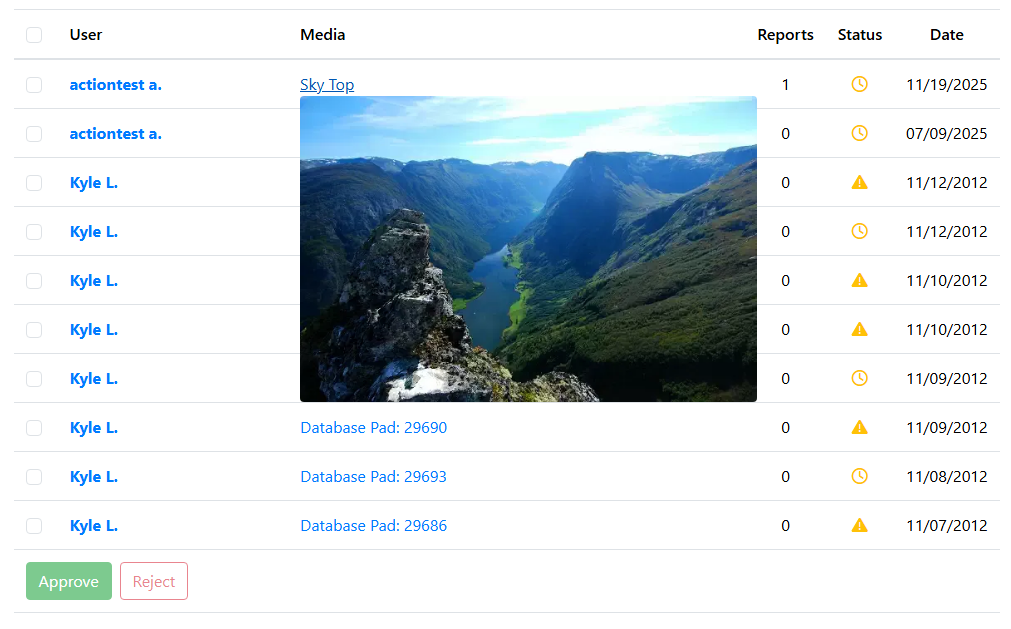
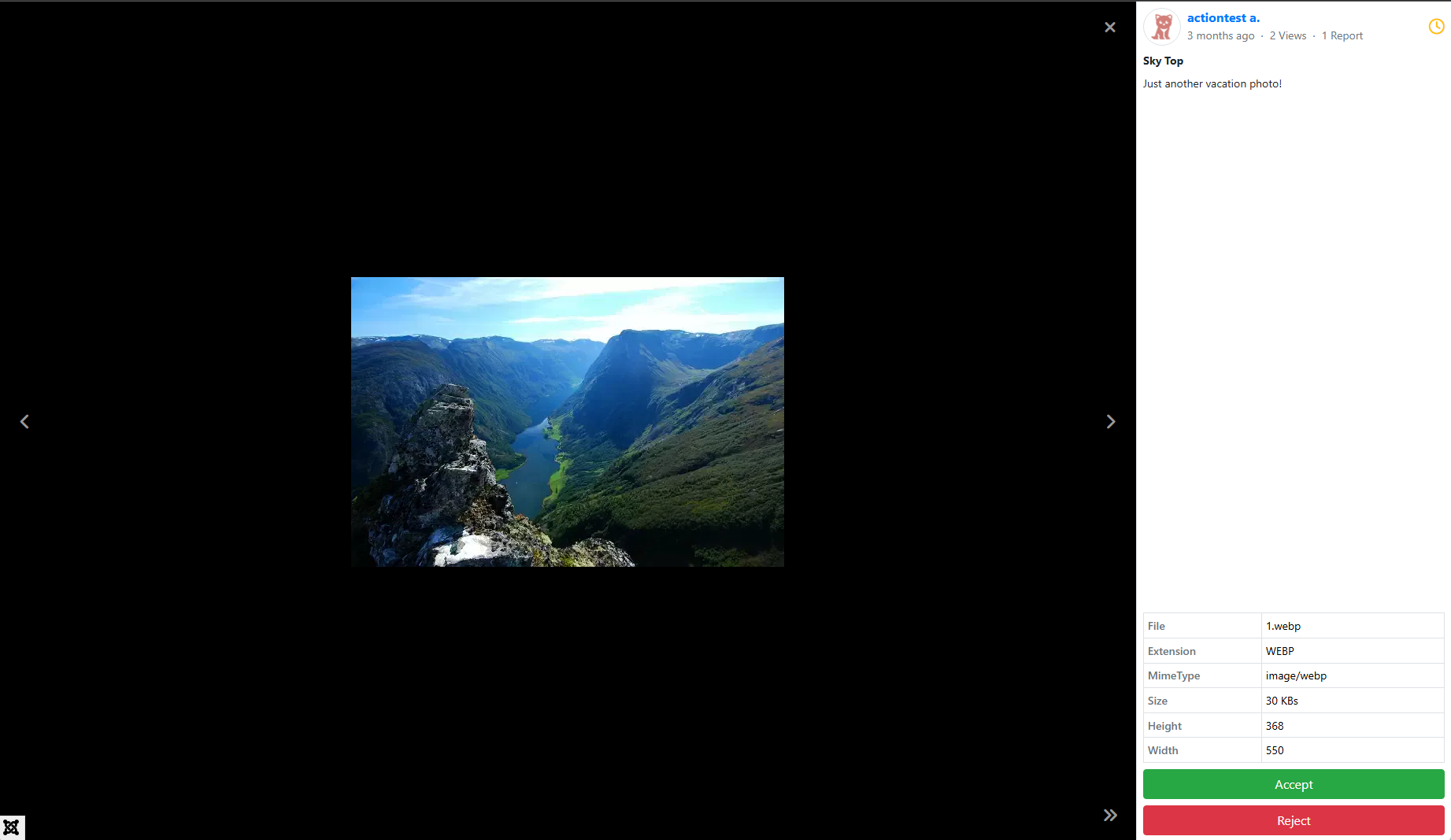
Below is a current example of what is being implemented.


The idea is to be able to accept/reject directly from the modal window. Additional file details are also added above the buttons. Full title and description are visible as well in the modal window. Pressing Accept or Reject will perform the buttons process and open the next modal window automatically (not currently implemented, but is the plan).

I'm still looking into hover previews, but this should give a more detailed fast way of going through approval. The table itself was basically just a means of batch approval/reject.


Kyle (Krileon)
Community Builder Team Member
Before posting on forums: Read FAQ thoroughly + Read our Documentation + Search the forums
CB links: Documentation - Localization - CB Quickstart - CB Paid Subscriptions - Add-Ons - Forge
--
If you are a Professional, Developer, or CB Paid Subscriptions subscriber and have a support issue please always post in your respective support forums for best results!
--
If I've missed your support post with a delay of 3 days or greater and are a Professional, Developer, or CBSubs subscriber please send me a private message with your thread and will reply when possible!
--
Please note I am available Monday - Friday from 8:00 AM CST to 4:00 PM CST. I am away on weekends (Saturday and Sunday) and if I've missed your post on or before a weekend after business hours please wait for the next following business day (Monday) and will get to your issue as soon as possible, thank you.
--
My role here is to provide guidance and assistance. I cannot provide custom code for each custom requirement. Please do not inquire me about custom development.

Please Log in or Create an account to join the conversation.

Moderators: beatnantkrileon
Powered by Kunena Forum