Skip to Content Skip to Menu

🍾 Happy New Year! Great Savings on Professional and Developer Memberships! Get 25% off now with code NEWYEAR-2026!

CB Gallery 3.0: Activity Stream while publishing/unpublishing albums or photos

3 hours 48 minutes ago #342918 by Toulouzing

Please be sure you've the latest CB Gallery build release installed and if you've any Joomla caching that you've cleared the cache. You should then see that pending icon for pending gallery entries in grid views. Note if you created a custom template for CB Gallery you'll not see this change as your custom template won't have it so you need to revert back to default templates or update your custom template.

Yes, I confirm i have the latest CB Gallery (3.01 -  2025.12.31), using default CB template no hack, tried with Cassiopea and using the default model for photo layout (i understand the change is not implemented to work for masonry ?) . Cache cleared. I still have no effect ( neither icon, nor activity triggered with the publish) . I just notice the nice rounded white borders around the image i think i didn't had before, that's cool
 

Please Log in or Create an account to join the conversation.

  • krileon
  • krileon
  • ONLINE
  • Posts: 49984
  • Thanks: 8541
  • Karma: 1466
1 hour 58 minutes ago - 1 hour 55 minutes ago #342920 by krileon
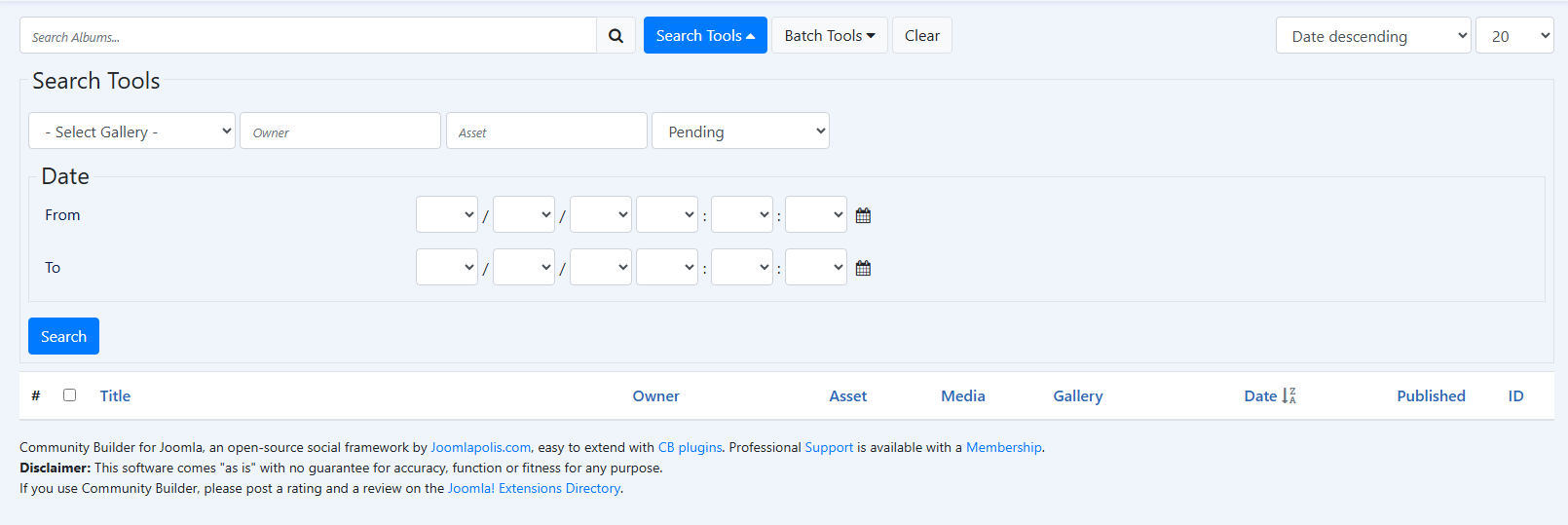
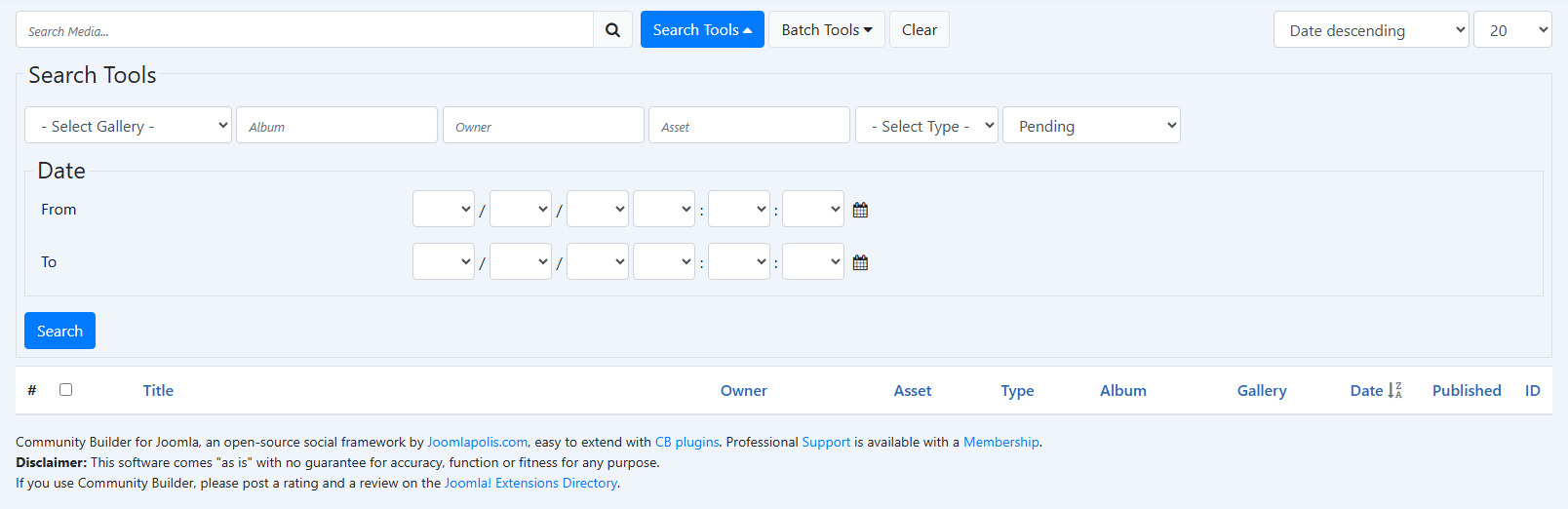
Have reviewed your install. You do not have any pending albums or pending media. So you of course are not going to see an icon indicating pending status, because nothing is pending. CB Moderators don't require approval to upload either so when you're uploading as a CB Moderator it's just immediately published so again won't have an icon.

Albums
 

Media
 

It does not show an icon simply because something is unpublished. The indicators were added pending/controversial. There is no indicator in any of our plugins for unpublished states. That's the best I could do as far as compromising on this. If you need unpublished state icons you'll have to continue to add those yourself. I apologize for the confusion.


Kyle (Krileon)
Community Builder Team Member
Before posting on forums: Read FAQ thoroughly + Read our Documentation + Search the forums
CB links: Documentation - Localization - CB Quickstart - CB Paid Subscriptions - Add-Ons - Forge
--
If you are a Professional, Developer, or CB Paid Subscriptions subscriber and have a support issue please always post in your respective support forums for best results!
--
If I've missed your support post with a delay of 3 days or greater and are a Professional, Developer, or CBSubs subscriber please send me a private message with your thread and will reply when possible!
--
Please note I am available Monday - Friday from 8:00 AM CST to 4:00 PM CST. I am away on weekends (Saturday and Sunday) and if I've missed your post on or before a weekend after business hours please wait for the next following business day (Monday) and will get to your issue as soon as possible, thank you.
--
My role here is to provide guidance and assistance. I cannot provide custom code for each custom requirement. Please do not inquire me about custom development.
Last edit: 1 hour 55 minutes ago by krileon.

Please Log in or Create an account to join the conversation.

  • krileon
  • krileon
  • ONLINE
  • Posts: 49984
  • Thanks: 8541
  • Karma: 1466
1 hour 48 minutes ago - 1 hour 44 minutes ago #342921 by krileon
An example of how you could indicate unpublished state using CSS as follows. This would make them black and white for example.

Code:
.cb_template .galleryFolder.galleryUnpublished .galleryFolderPreview img, .cb_template .galleryItem.galleryUnpublished .galleryItemPreview img {     filter: grayscale(1); }


But I don't have any plans at this time to enforce something like this. You can add it to CB using the below CSS overrides feature.

www.joomlapolis.com/blog/kyle/18711-template-css-overrides-made-easy

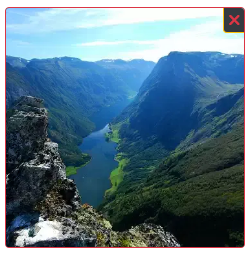
The below highlights the confusing UX problem of using an unpublished indicator icon. It looks very much like Close or Delete. There isn't a way to really display  that cleanly in a non-confusing way for grids like this.


Kyle (Krileon)
Community Builder Team Member
Before posting on forums: Read FAQ thoroughly + Read our Documentation + Search the forums
CB links: Documentation - Localization - CB Quickstart - CB Paid Subscriptions - Add-Ons - Forge
--
If you are a Professional, Developer, or CB Paid Subscriptions subscriber and have a support issue please always post in your respective support forums for best results!
--
If I've missed your support post with a delay of 3 days or greater and are a Professional, Developer, or CBSubs subscriber please send me a private message with your thread and will reply when possible!
--
Please note I am available Monday - Friday from 8:00 AM CST to 4:00 PM CST. I am away on weekends (Saturday and Sunday) and if I've missed your post on or before a weekend after business hours please wait for the next following business day (Monday) and will get to your issue as soon as possible, thank you.
--
My role here is to provide guidance and assistance. I cannot provide custom code for each custom requirement. Please do not inquire me about custom development.
Last edit: 1 hour 44 minutes ago by krileon.

Please Log in or Create an account to join the conversation.

1 hour 38 minutes ago #342923 by Toulouzing
Aaah OK !! Yes, it was a confusion for me, i thought that unpublished media was embedded in the adventure.... Thank you for the css instruction example - I will override by myself. -

( just if you can keep in your list for future the need to update the date of media with the publish date for the activity stream, i think it is not a 'nice to have' but a relevant behavior...)

Please Log in or Create an account to join the conversation.

  • krileon
  • krileon
  • ONLINE
  • Posts: 49984
  • Thanks: 8541
  • Karma: 1466
1 hour 33 minutes ago #342924 by krileon
The published date thing is a lot trickier. Publishing and unpublishing media does not change its date. The activity is synchronized to that date.

So the only way to change that is to change the date in backend. So CB Gallery frontend would need to change date on publish/unpublish, which is not ideal and I do not have plans for or there maybe needs to be a separate modify date kept track of that CB Activity can utilize, but then that causes problems where someone can just modify their media and bump their post to the top of the stream over and over.

My proposal was to allow for changing the published date on approval from a pending state. I don't have a real solution for you here beyond you implementing your own activity using CB Auto Actions so you can set the date to whatever you want, which I can provide an example for you to do if you'd like.


Kyle (Krileon)
Community Builder Team Member
Before posting on forums: Read FAQ thoroughly + Read our Documentation + Search the forums
CB links: Documentation - Localization - CB Quickstart - CB Paid Subscriptions - Add-Ons - Forge
--
If you are a Professional, Developer, or CB Paid Subscriptions subscriber and have a support issue please always post in your respective support forums for best results!
--
If I've missed your support post with a delay of 3 days or greater and are a Professional, Developer, or CBSubs subscriber please send me a private message with your thread and will reply when possible!
--
Please note I am available Monday - Friday from 8:00 AM CST to 4:00 PM CST. I am away on weekends (Saturday and Sunday) and if I've missed your post on or before a weekend after business hours please wait for the next following business day (Monday) and will get to your issue as soon as possible, thank you.
--
My role here is to provide guidance and assistance. I cannot provide custom code for each custom requirement. Please do not inquire me about custom development.

Please Log in or Create an account to join the conversation.

  • krileon
  • krileon
  • ONLINE
  • Posts: 49984
  • Thanks: 8541
  • Karma: 1466
1 hour 24 minutes ago #342925 by krileon
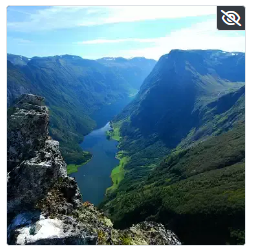
Believe I've found a possible solution. Below uses slashed eye for non-visible. This might work for indicating published state in a non-confusing way.


Kyle (Krileon)
Community Builder Team Member
Before posting on forums: Read FAQ thoroughly + Read our Documentation + Search the forums
CB links: Documentation - Localization - CB Quickstart - CB Paid Subscriptions - Add-Ons - Forge
--
If you are a Professional, Developer, or CB Paid Subscriptions subscriber and have a support issue please always post in your respective support forums for best results!
--
If I've missed your support post with a delay of 3 days or greater and are a Professional, Developer, or CBSubs subscriber please send me a private message with your thread and will reply when possible!
--
Please note I am available Monday - Friday from 8:00 AM CST to 4:00 PM CST. I am away on weekends (Saturday and Sunday) and if I've missed your post on or before a weekend after business hours please wait for the next following business day (Monday) and will get to your issue as soon as possible, thank you.
--
My role here is to provide guidance and assistance. I cannot provide custom code for each custom requirement. Please do not inquire me about custom development.

Please Log in or Create an account to join the conversation.

Moderators: beatnantkrileon
Powered by Kunena Forum