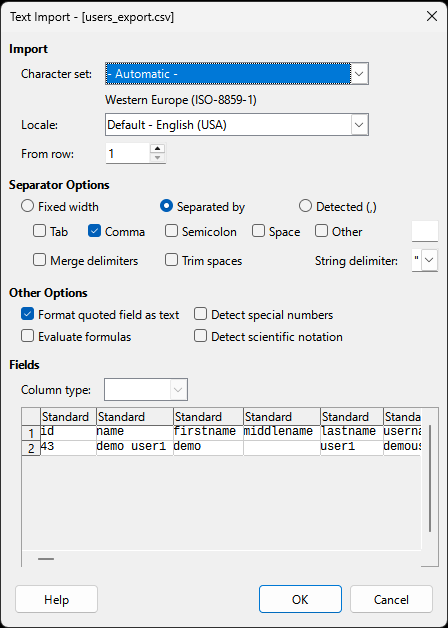
I have exported my members to Excel using .csv. The file will also contain text delimiters in the form of " " ".
Then I try to import it into Excel specifying "comma" as field/column separator and " " " as text delimiter.
My Excel uses " ; " as separator. I have not found a working method for this data transfer.
- The problems I encounter are that the text delimiters seem improperly placed.
- And that all commas, even those that should be placed within text delimiters, are used as field/column delimiters.
Thus, a typical export works more or less as expected up until the column "gids" where the embedded "comma"s are all interpreted as "New Column".
The next problem column is "params" where all embedded commas are again interpreted as "New Column".
Further on, all my own "Comment Fields" that happen to include commas are again split into several columns.
This is very annoying and complicates all exports (and any attempts to import too).
Is there some good work-around for this problem?
Or could the exporting algorithms be modified somehow?
I.e. allow me to specify the field separator as ";" instead of ","?
Or could a new export mode (Export to .xls) be created?
Kind regards / Ake