Hi - I made some tests after having loaded the new
Gallery Plugin you created (version: 4.1.2+build.2026.08.25.15.42.41.5d4a76815). Below my test results:
Test 1 - Load avatar pic directly (not via Gallery Plugin)
This works well as it did before
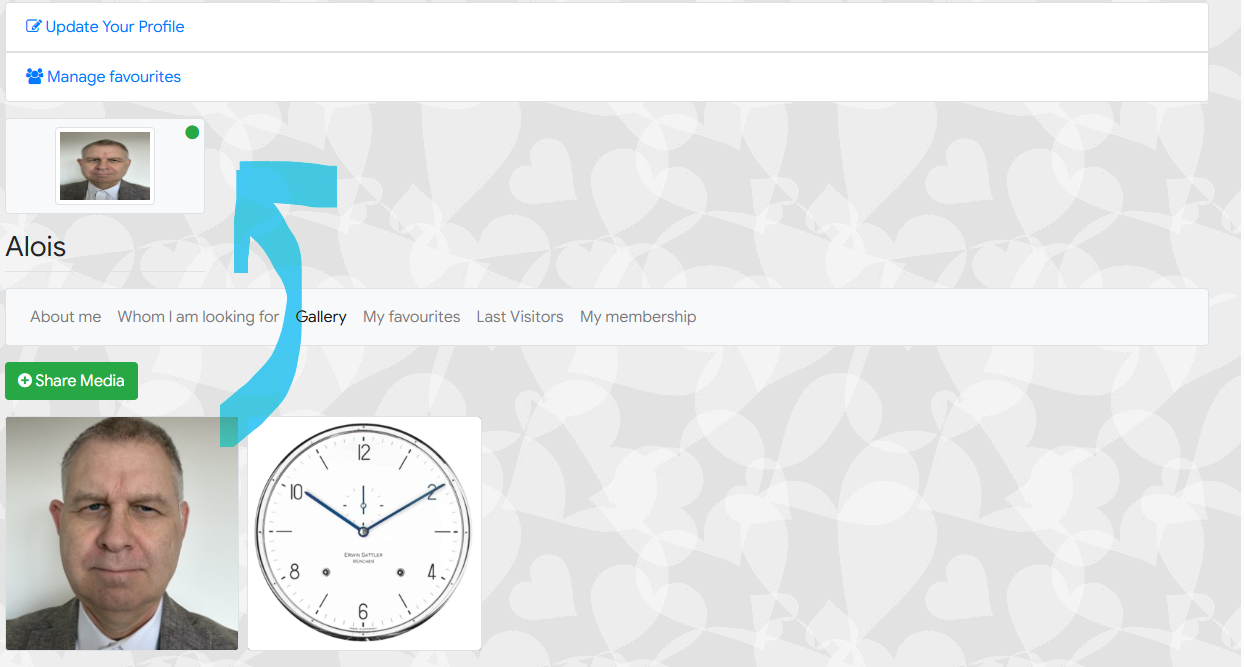
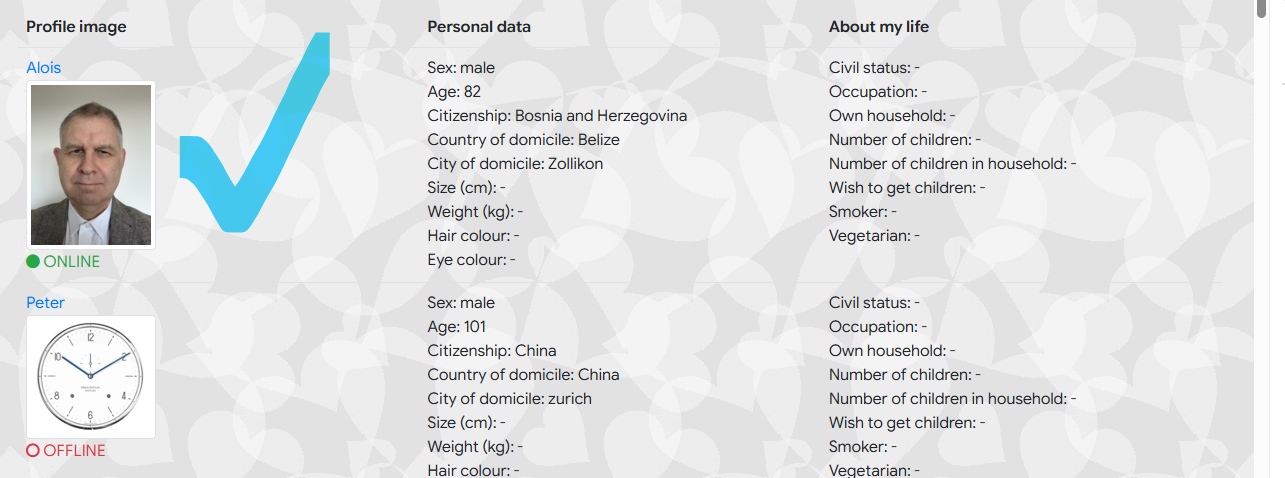
Test 2 - Create an avatar pic depending on an approved gallery pic (content: face)
Please look at the attachments. In the profile view the pic looks a bit 'compressed' in one dimension. On the other hand: In the user list view the picture looks well formatted.
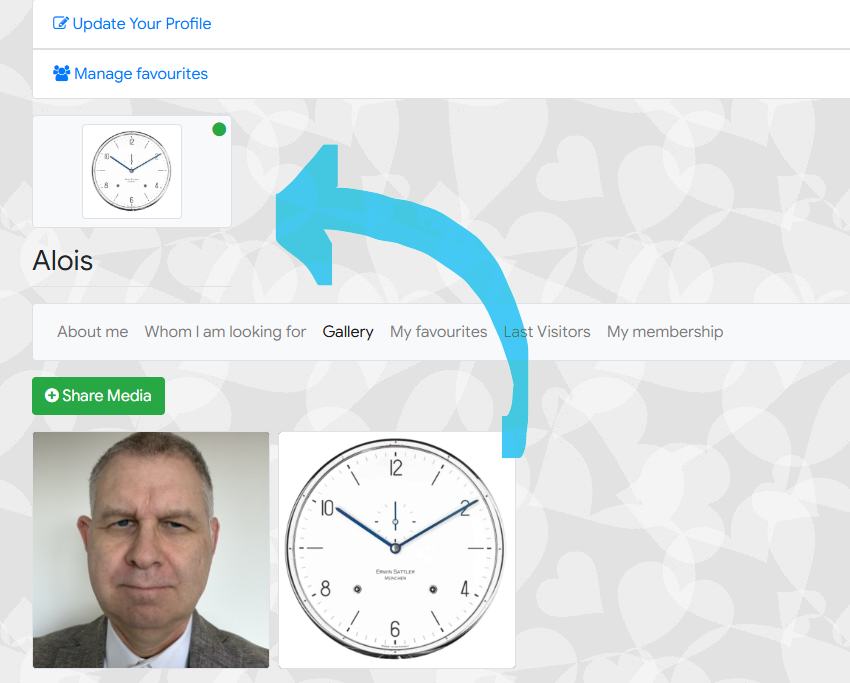
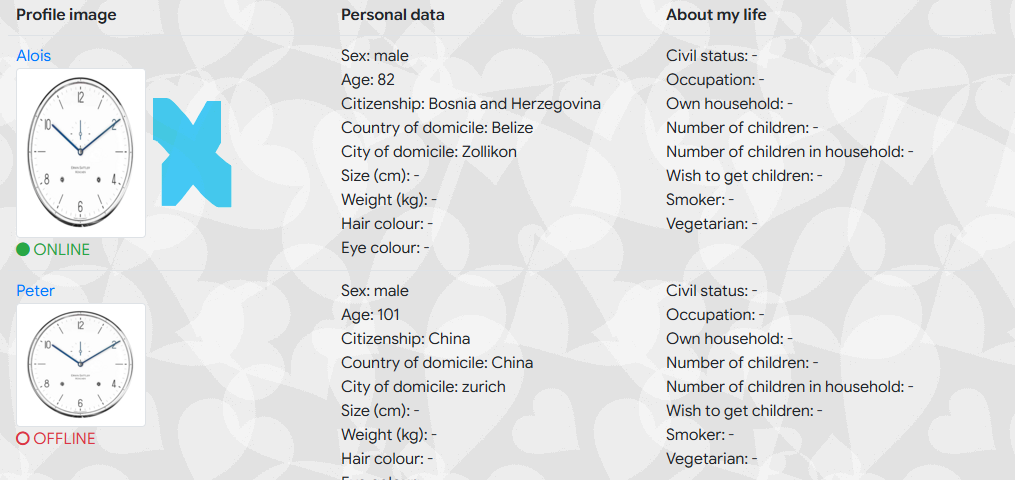
Test 3: - Create an avatar pic depending on an approved gallery pic (content: watch)
Please look at the attachments. Now in the profile view the pic looks well...... but in the user list the pic looks 'compressed'
Summary:
So from my point of view, the general size of the (avatar) image or user list image seems to be OK. But now we have an issue concerning the ratio between x and y dimension of the image. And!!!!! - depending on the (source) image the reshaping is different... this means: The ratio between x and y dimension is not correct either in the profile view or the user list view
As you offered, I am going to PM you the credentials for the backend - MUCH REGARDS and THANK YOU




 krileon

